

How to share
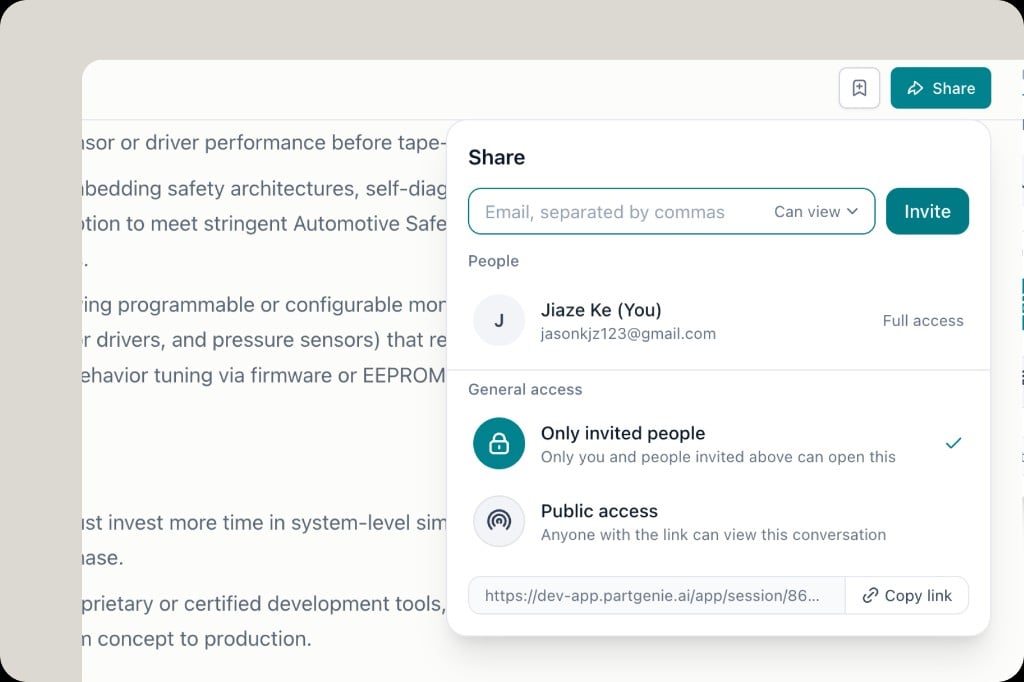
- Open a chat session or BOM and click Share
- Enter emails (comma-separated) and choose permission (e.g. Can view)
- Click Invite — invitees receive an email notification
- Or Copy link to share directly
Access levels
- Only invited people — private to you and invitees
- Public access — anyone with the link can view