

Where to compare
- Search / alternative answers — select products in tables or result cards
- BOM — multi-select lines and click Compare
- Alternative report — structured shortlist you can export (PDF/Word)
What the compare view shows
Typical columns include stock, price (with MOQ), lead time, confidence / relation notes, and distributor source. Use Purchase from procurement when you’re ready to buy—see Live sourcing.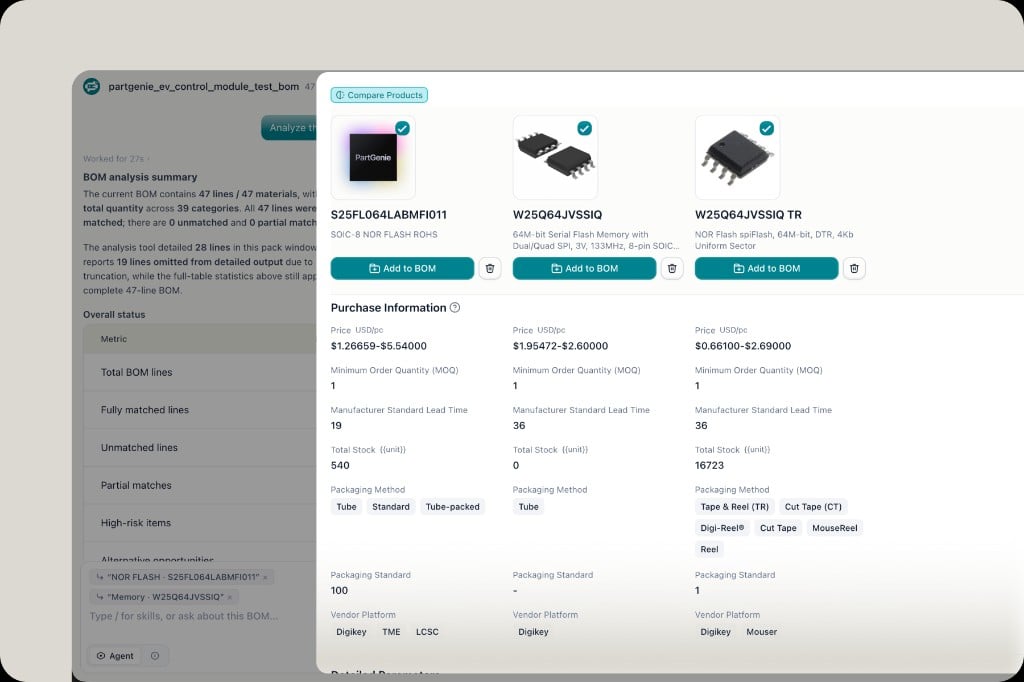
Tips
- Compare 2–5 candidates; more than that usually hurts clarity
- Confirm package, firmware, and electrical limits before design-in—catalog similarity ≠ drop-in
- Export tables from answers when on Pro (hover table → download)