

Switch to Work
On the homepage input, select Work (vs Search). Attach a BOM file or paste a part list, then ask something like: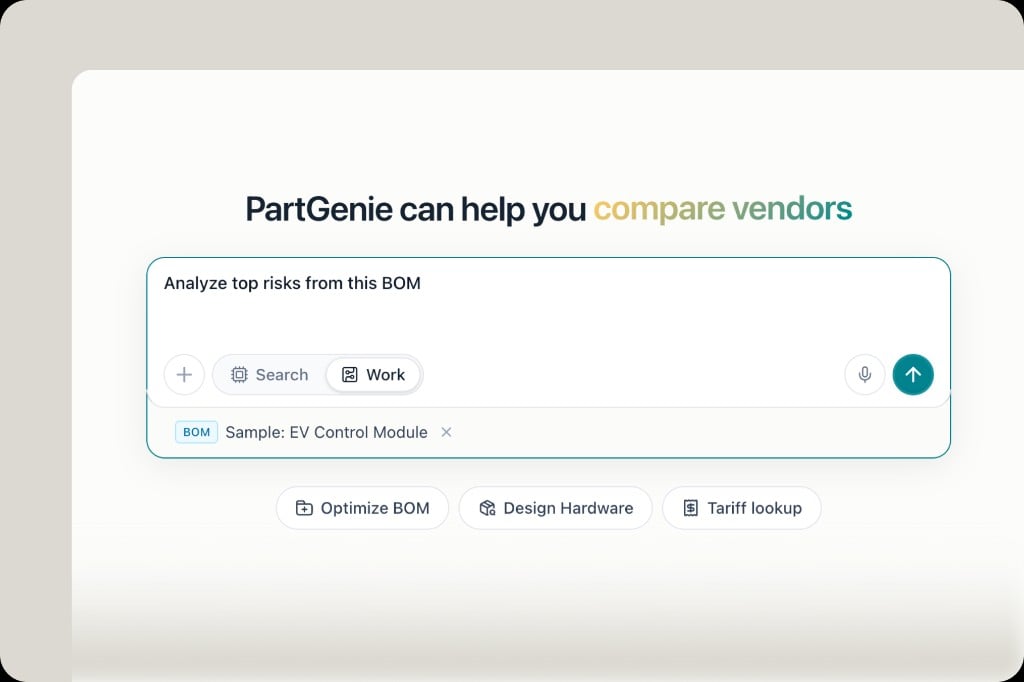
What Work can do for BOM projects
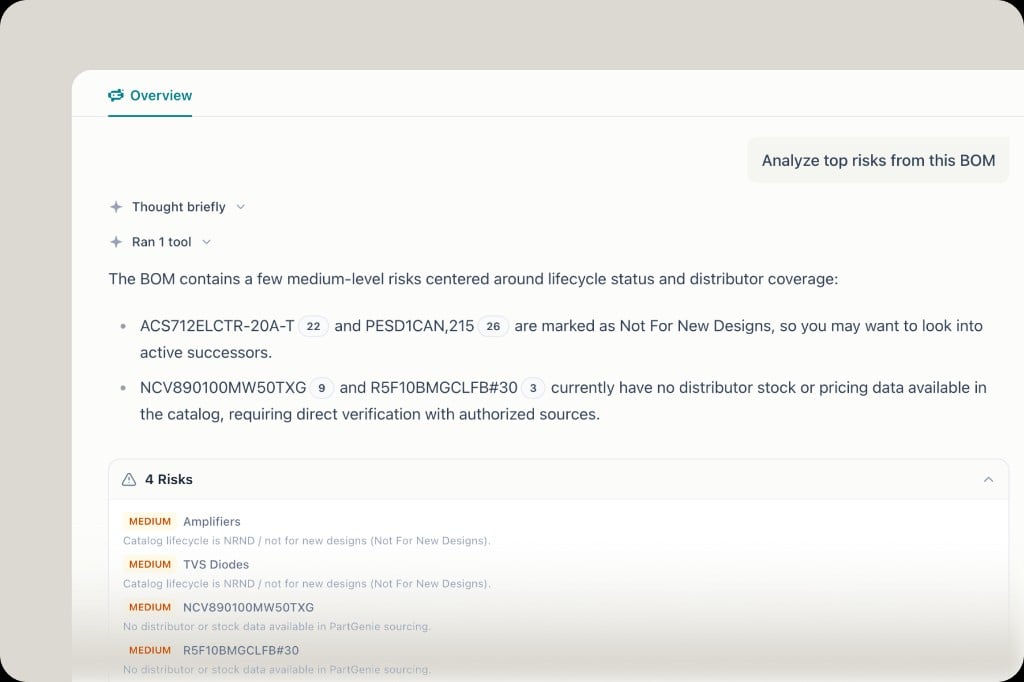
- Risk analysis — EOL/NRND, zero stock, missing sourcing data, unrecognized manufacturers
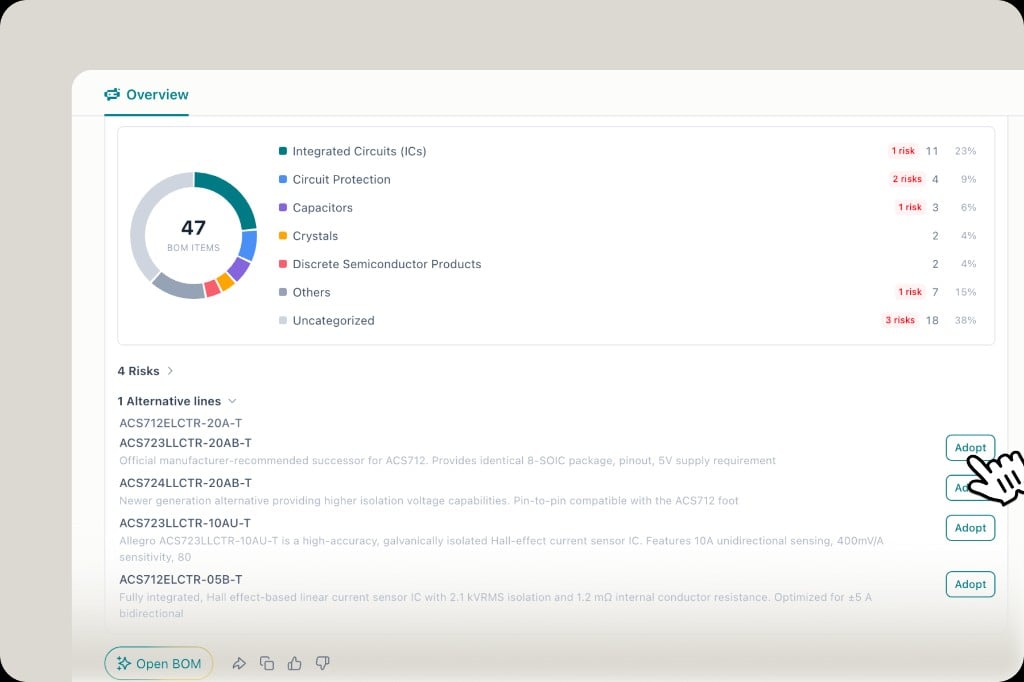
- BOM health report — category distribution, risk counts, suggested next steps
- Alternatives — recommend replacements and Adopt them into the project
- Chat with context — reference selected BOM lines so the agent has supply-chain context
Design projects
In Work, a design runs as stages you can open: Brief, Plan, Architecture, BOM, Image. On Plan, pick a scheme (one is Active), then Use or Export. Image supports more than one view. See Design mode.Tips
- Prefer Work when the goal is to change a project; use Search for open-ended component Q&A
- After Adopt, review BOM Changes / estimated price before locking a revision