

Supported live sources
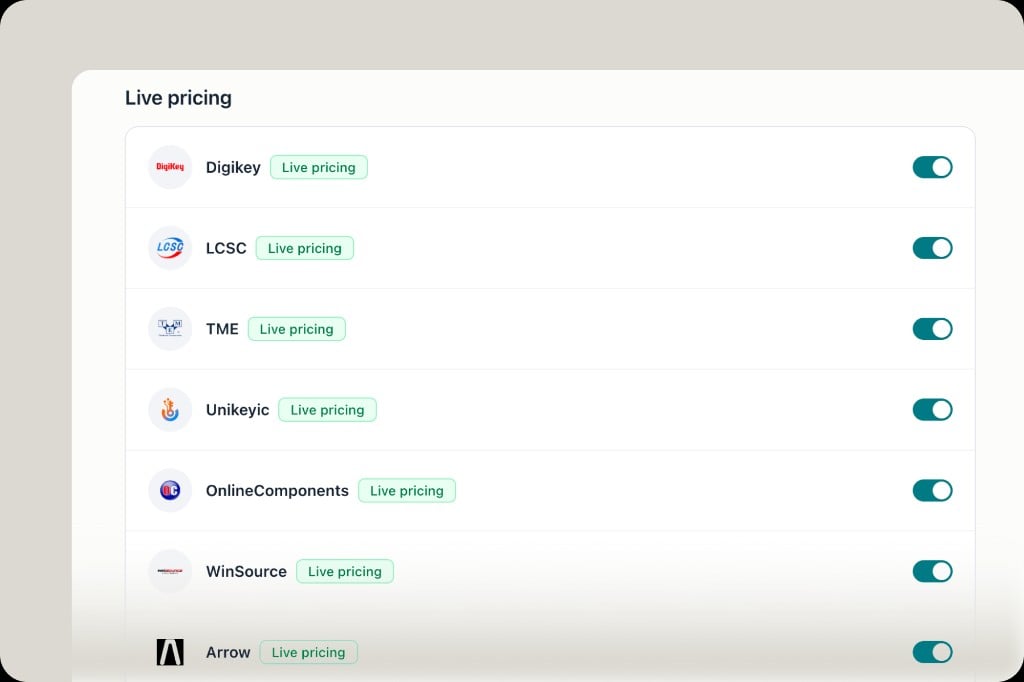
Current live pricing sources include (toggle any under Settings → Distributors):- DigiKey, LCSC, TME, Unikeyic, OnlineComponents, WinSource, Arrow
Where you see it
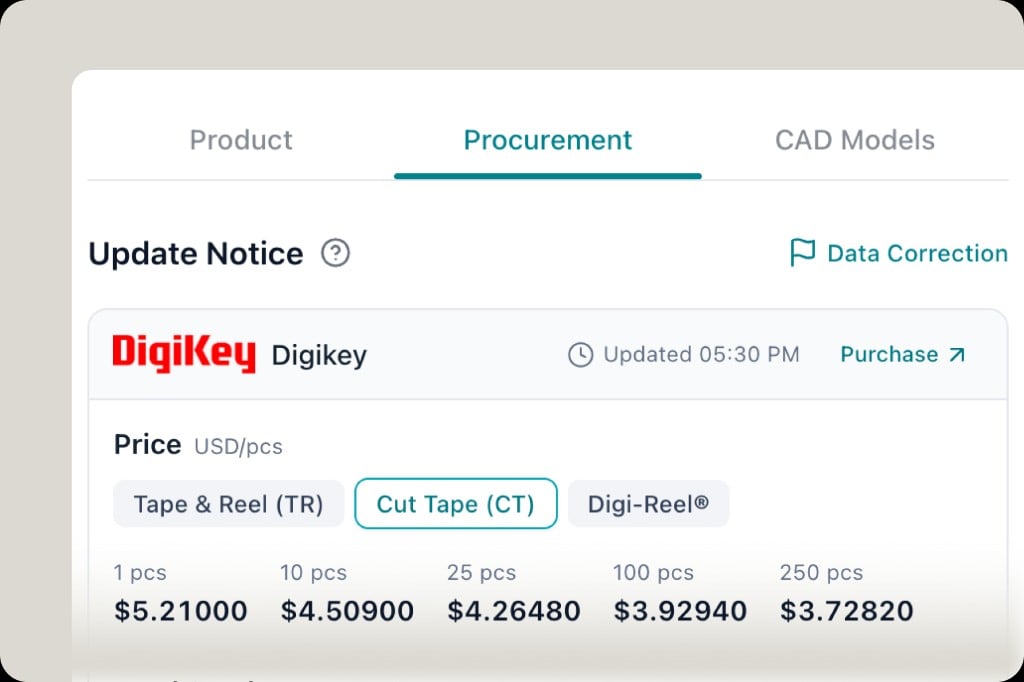
- Component Procurement tab — price tiers, packaging, update time
- BOM / Compare — stock and price columns
- Search & alternatives — live sourcing rows with confidence and source
One-click purchase
1
Open the drawer
Click an MPN badge in an answer, or a part row in the BOM.
2
Open Procurement
The drawer tabs are Product, Procurement, and CAD Models. Stay on Procurement for price and stock. CAD Models is the footprint library — see ECAD & footprints.
3
Pick a package break
Under the distributor name (DigiKey, TME, LCSC, and so on), switch Tape & Reel, Cut Tape, or the equivalent the distributor offers. The price grid updates by quantity.
4
Purchase
Click Purchase to open that distributor’s product page. The timestamp next to it is when PartGenie last refreshed the quote.
Preferences
Your distributor toggles apply across all views. Want another source? Tell us—we’re continuously adding distributors. Manufacturer program partnerships are expanding as well.Related
- OpenELAB modules — modules and kits purchase via OpenELAB
- BOM management — estimated BOM cost from live data