Alternative search in PartGenie goes beyond parametric look-alikes. The engine asks for project context—power, thermal, package, application—then recommends upgrade paths and functional alternates. When you ask for a replacement (e.g. alternative to BQ24195), PartGenie may prompt clarifying constraints. Confirm or skip; confirmed context is used in the recommendation.
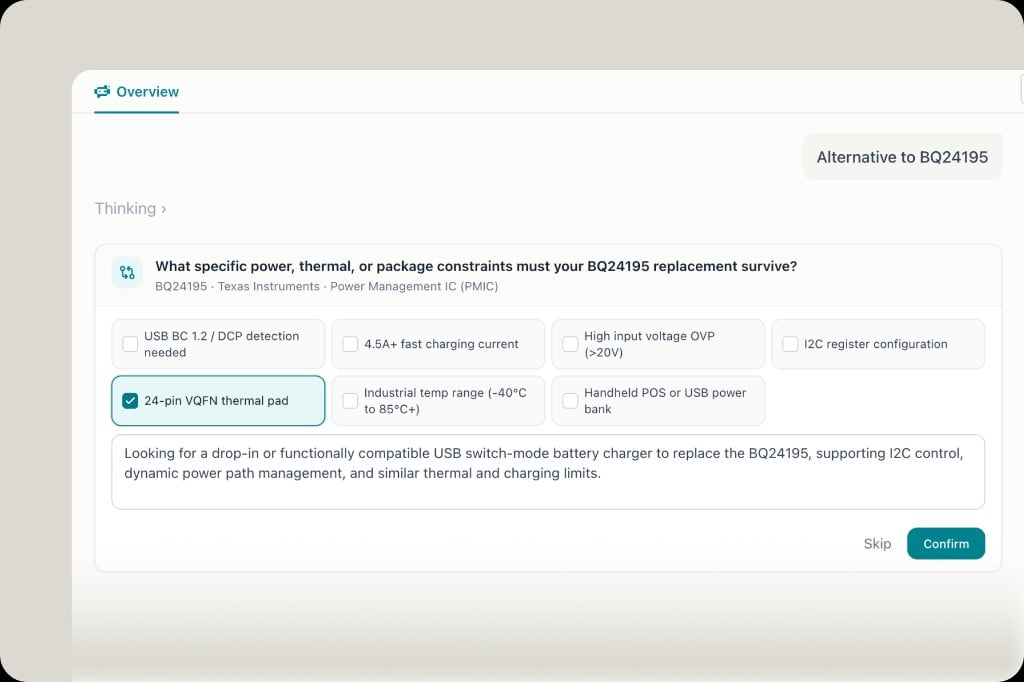
Clarification prompt for alternative constraints
Results show relation type (upgrade path / functional alternate), drop-in notes, and key specs—not just similar numbers.

Compare MPNs

In BOM or search results, select multiple MPNs and click Compare to see price, stock, MOQ, lead time, and packaging side by side.
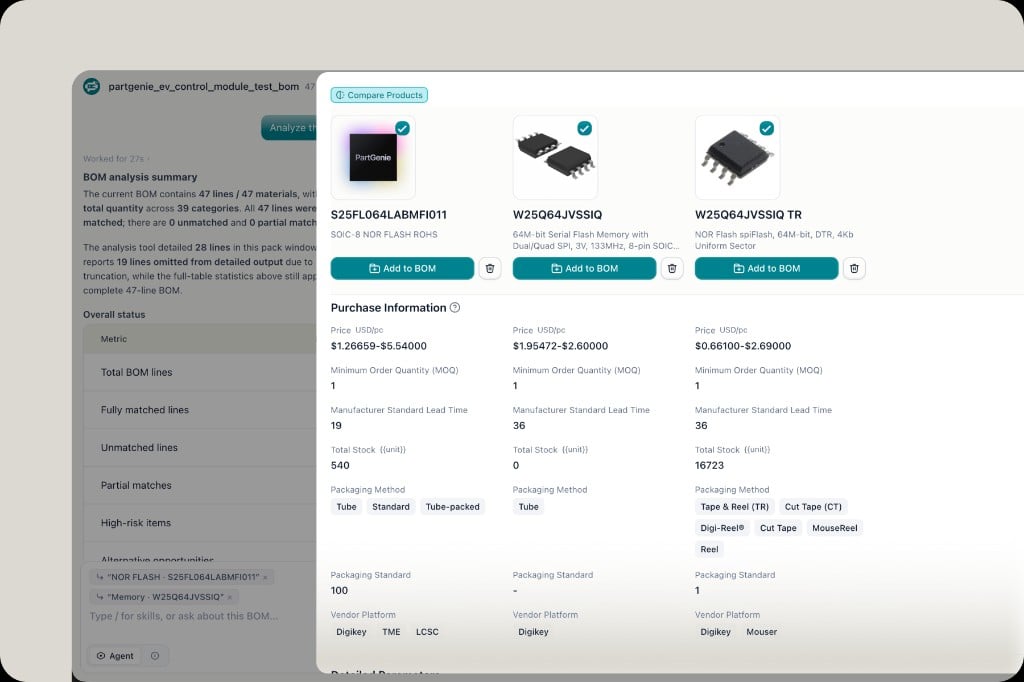
Compare Products panel for multiple MPNs

Alternative report (export)

From a component’s Alternative Parts section:
  1. Click View report for a structured shortlist (target, summary, design & procurement guidance, candidates with risk/confidence)
  2. Export to PDF or Word for FAE, purchasing, or design review
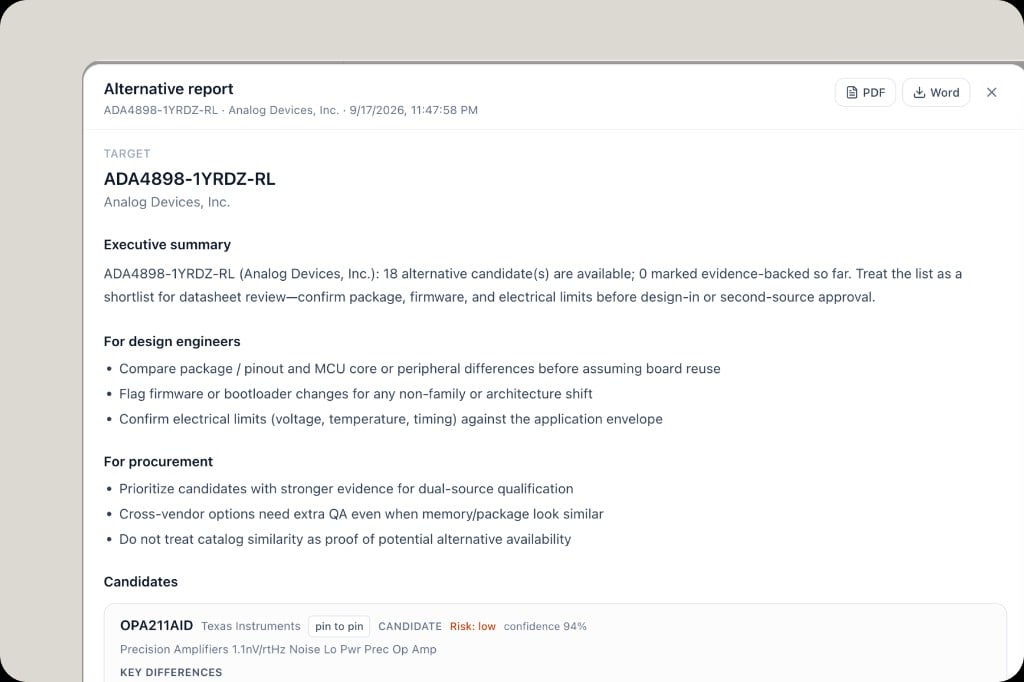
Alternative report with PDF and Word export

Adopt into a project

In PartGenie Work or BOM analysis, recommended alternatives can be Adopted directly into your project. Adopt history is tracked in BOM engineering diff.