

Install and sign in
1
Install the extension
Open the PartGenie listing in the Chrome Web Store and click Add to Chrome. Pin the PartGenie icon in the toolbar if you use it often.
2
Sign in
Click the PartGenie icon or open the sidebar on a supported product page. Sign in with the same account you use at app.partgenie.ai.
3
Open a supported product page
Navigate to a product detail page on a supported site (for example DigiKey, Mouser, or LCSC). PartGenie reads the MPN from the page and loads research for that exact part.
Use the sidebar
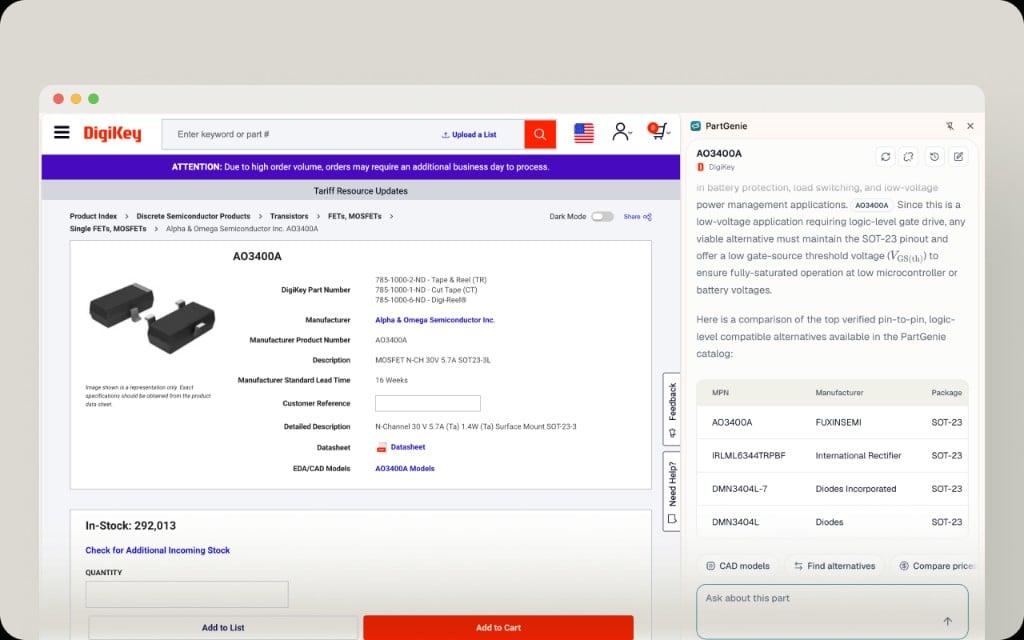
Alternatives include supporting evidence—not only parametric tables. Use the cited sources before you swap a part in production.
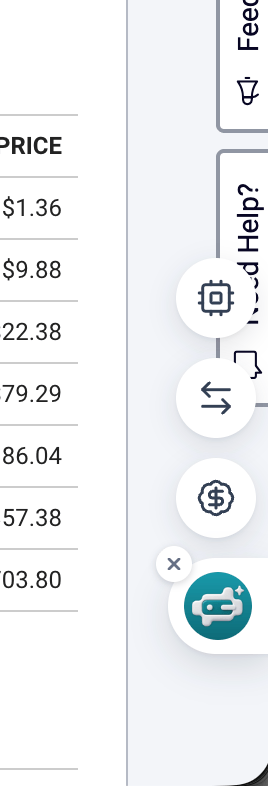
Floating toolbar
ECAD from the extension
From CAD models in the sidebar:- Download symbol, footprint, or 3D from the catalog when CAD Models has files for this MPN.
- Or start KiCad library generation (Beta) and download when ready.
Open the full web app
Use links in the sidebar to open the full PartGenie component page or continue in Search when you need Projects, BOM, Design, or Knowledge.Supported sites
Today includes major distributors such as DigiKey, Mouser, and LCSC, plus additional manufacturer and distributor pages PartGenie recognizes. Coverage expands over time; if a page you rely on is missing, tell us at [email protected].Privacy and permissions
The extension needs access to supported product pages so it can read the MPN and page context required to identify the component. It does not replace your distributor login or place orders for you—Purchase links open the distributor’s own checkout flow.Troubleshooting
More account issues: Account troubleshooting.