

생성 또는 업로드
1
Attach the BOM
On the homepage, click Optimize BOM or switch the input to Work, then upload CSV / Excel or paste a part list. You can also open an existing BOM from Projects.
2
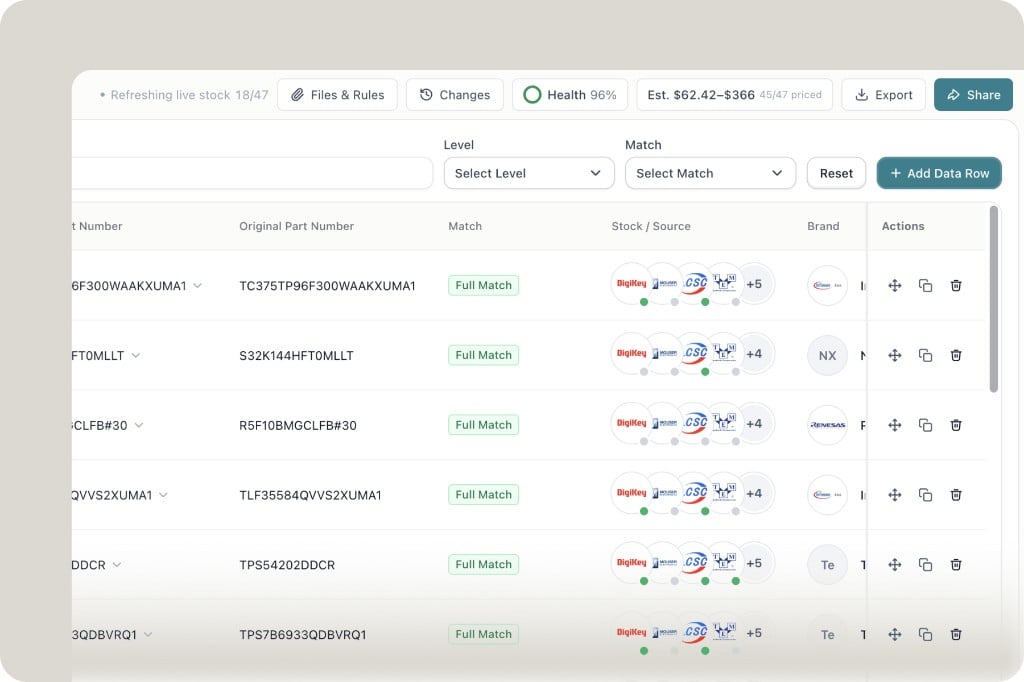
Read the toolbar
Across the top of the BOM:
- Refreshing live stock — how many lines have been priced
- Files & Rules — project files and instructions (these override your account custom instructions)
- Changes — Adopt history and version diff
- Health — score for the current BOM
- Est. — estimated cost range and how many lines are priced
- Export / Share
3
Work the table
Each row shows the original part number, Match (for example Full Match), Stock / Source distributor marks, and brand. Filter with Level and Match. Add Data Row inserts a line. Row actions copy, duplicate, or delete.
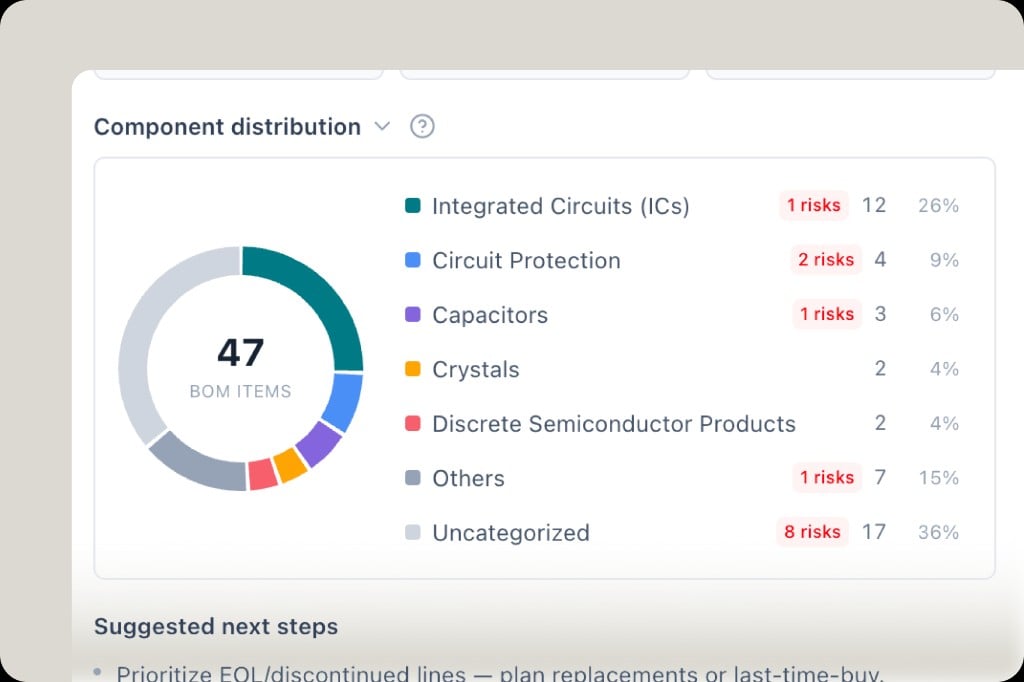
건강 보고서
업로드 후 다음을 위해 상태 개요를 엽니다:- ** 카테고리별 구성 요소 분포 ** (위험 수 포함)
- ** 위험 목록 ** - NRND/EOL, 재고 제로, 출처 데이터 없음, 제조업체 실종
- ** 대량 대체품 ** - 스캔 일치 선 및 표면 기능 교체
엔지니어링 차이 및 추정 가격
BOM 도구 모음에서:- ** 변경사항 ** - 채택 기록 및 버전 기록 (무엇이 무엇을 대체했는지, 행이 변경되었을 때)
- ** 동부 가격 ** - 라이브 소싱에서 BOM 수준 비용 추정치 (예: 범위 + 가격이 책정된 라인 수)
- Health - 전체 상태 점수
비교 및 채팅 컨텍스트
- 행 선택 → ** 병렬 소싱을 위한 비교 **
- BOM 행을 다중 선택하고 에이전트 채팅에서 소싱 결정을 위해 참조