> ## Documentation Index
> Fetch the complete documentation index at: https://help.partgenie.ai/llms.txt
> Use this file to discover all available pages before exploring further.
# Datasheet Chat
> Ask datasheets in natural language—with page-level citations when available
Chat with component datasheets to pull ratings, features, and application notes without hunting through PDFs by hand.
## Start a datasheet chat
1. Open a component from search results or Collection
2. Enter datasheet chat from the detail / resources area (or ask in Search with the MPN in context)
3. Ask in natural language, e.g. *absolute maximum ratings*, *recommended operating conditions*, *pin description for pin 4*
## Page-level evidence
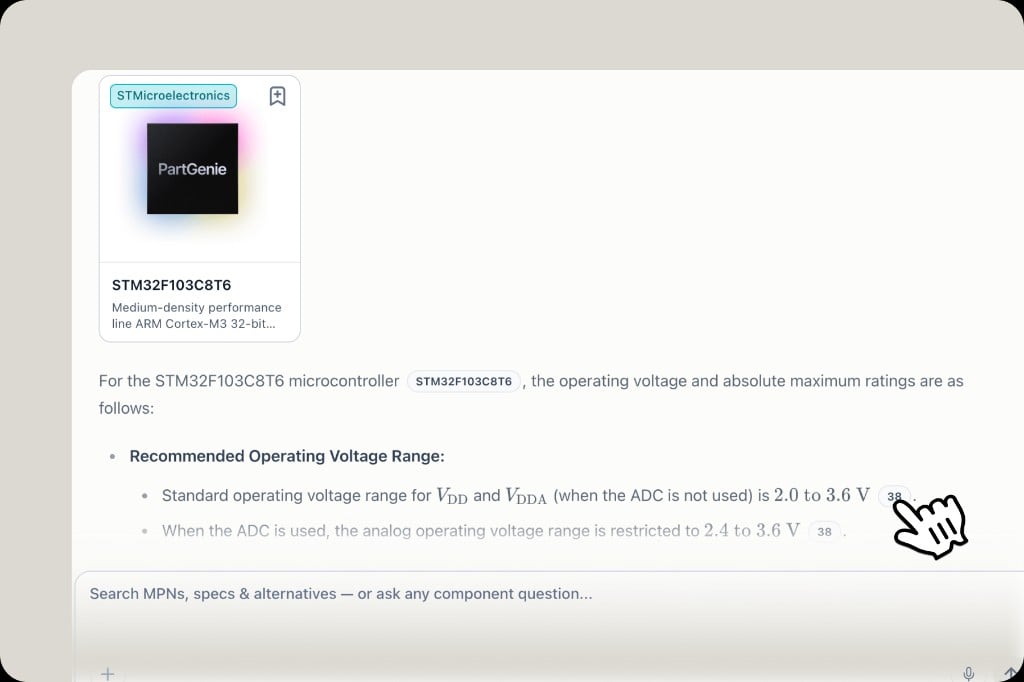
When the engine quotes a table or value, answers may include a **page number badge**. Click it to jump to that page in the PDF and verify. See [Datasheet citations](/en-US/datasheet-citations).
 ## Use your own files
Upload datasheets and app notes to [Knowledge](/en-US/knowledge), then **Chat about this** so answers use your engineering context—not only the catalog PDF.
## Tips
* Prefer precise questions (*VDD range when ADC is used*) over “tell me everything”
* Always confirm critical limits in the source PDF before design-in
* Pair with [AI Search](/en-US/ai-search) for MPN discovery, then deep-dive here
## Related
* [Datasheet citations](/en-US/datasheet-citations)
* [Knowledge](/en-US/knowledge)
* [AI Search](/en-US/ai-search)
## Use your own files
Upload datasheets and app notes to [Knowledge](/en-US/knowledge), then **Chat about this** so answers use your engineering context—not only the catalog PDF.
## Tips
* Prefer precise questions (*VDD range when ADC is used*) over “tell me everything”
* Always confirm critical limits in the source PDF before design-in
* Pair with [AI Search](/en-US/ai-search) for MPN discovery, then deep-dive here
## Related
* [Datasheet citations](/en-US/datasheet-citations)
* [Knowledge](/en-US/knowledge)
* [AI Search](/en-US/ai-search)