> ## Documentation Index
> Fetch the complete documentation index at: https://help.partgenie.ai/llms.txt
> Use this file to discover all available pages before exploring further.
# PartGenie Work
> Analyze and act on BOM or Design projects directly in the main chat
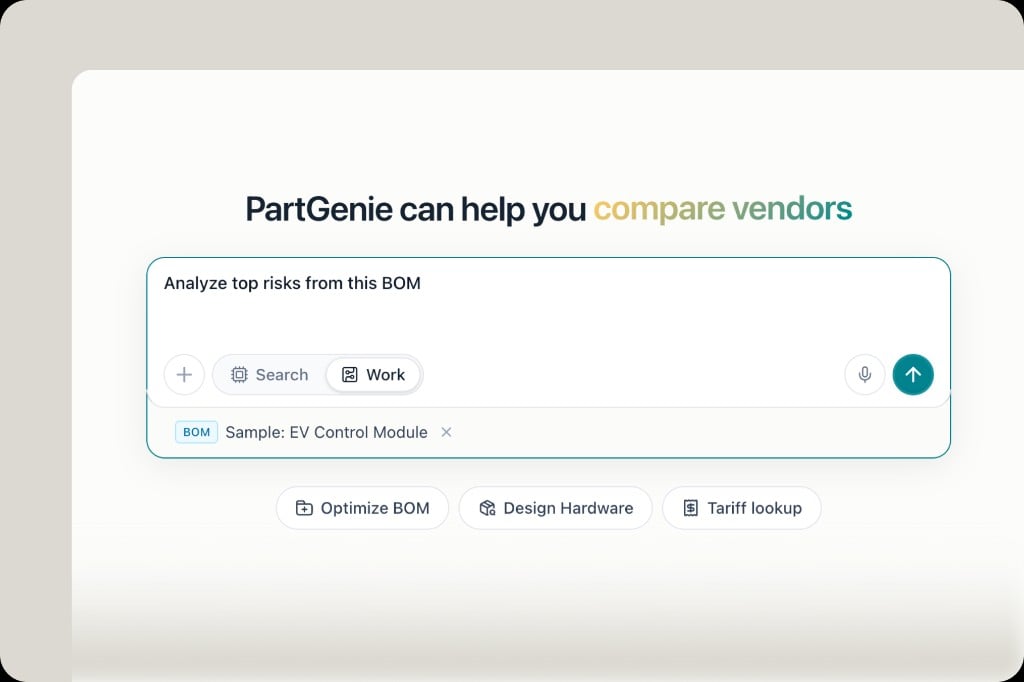
**Work** is project mode on the homepage. Upload a BOM, paste a part list, or open an existing project—then analyze risks, get alternatives, and apply changes without leaving the conversation.
## Switch to Work
On the homepage input, select **Work** (vs **Search**). Attach a BOM file or paste a part list, then ask something like:
```
Analyze top risks from this BOM.
```
 ## What Work can do for BOM projects
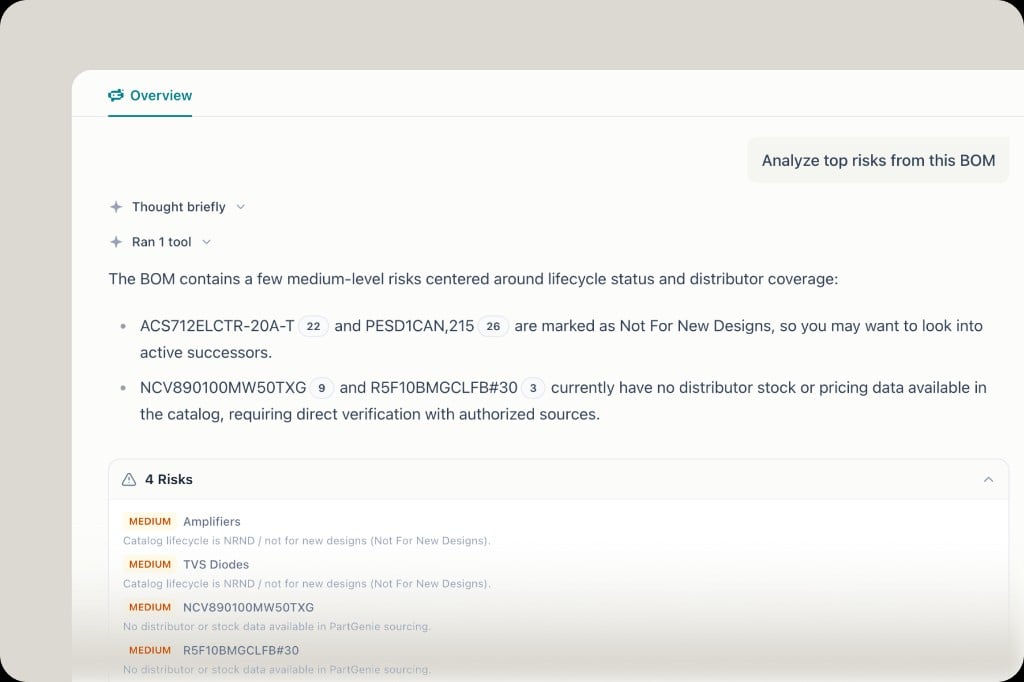
* **Risk analysis** — EOL/NRND, zero stock, missing sourcing data, unrecognized manufacturers
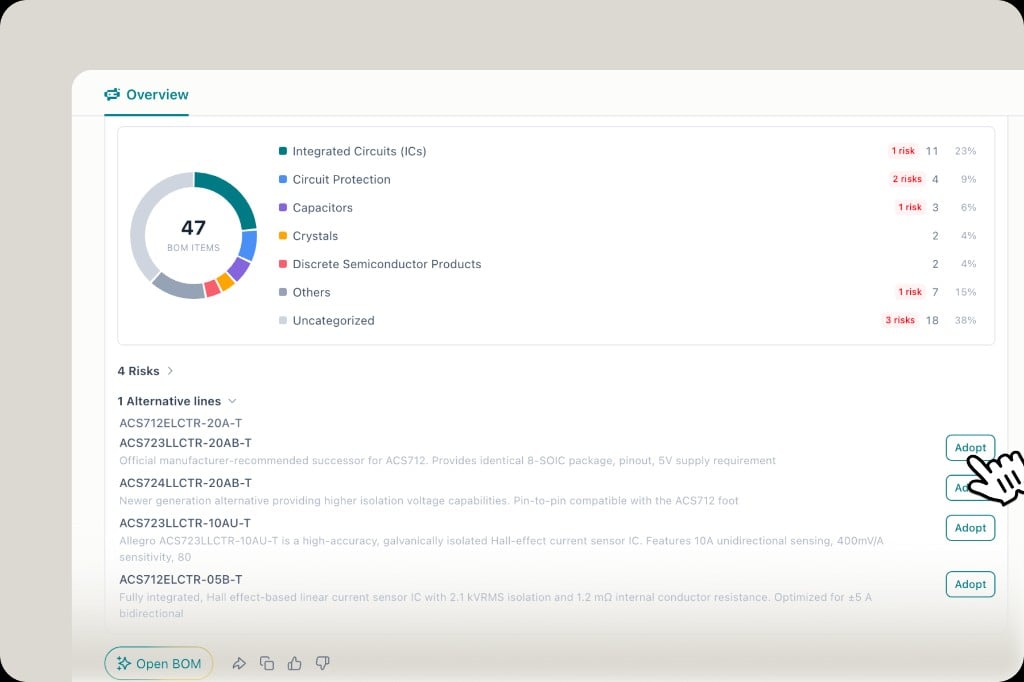
* **BOM health report** — category distribution, risk counts, suggested next steps
* **Alternatives** — recommend replacements and **Adopt** them into the project
* **Chat with context** — reference selected BOM lines so the agent has supply-chain context
## What Work can do for BOM projects
* **Risk analysis** — EOL/NRND, zero stock, missing sourcing data, unrecognized manufacturers
* **BOM health report** — category distribution, risk counts, suggested next steps
* **Alternatives** — recommend replacements and **Adopt** them into the project
* **Chat with context** — reference selected BOM lines so the agent has supply-chain context
 ## Design projects
Work also covers **Design**: start concept design, generate architecture diagrams, an initial BOM, and a technical proposal in one thread. See [Design mode](/en-US/design-mode).
## Tips
* Prefer **Work** when the goal is to change a project; use **Search** for open-ended component Q\&A
* After Adopt, review [BOM Changes / estimated price](/en-US/bom-management) before locking a revision
## Design projects
Work also covers **Design**: start concept design, generate architecture diagrams, an initial BOM, and a technical proposal in one thread. See [Design mode](/en-US/design-mode).
## Tips
* Prefer **Work** when the goal is to change a project; use **Search** for open-ended component Q\&A
* After Adopt, review [BOM Changes / estimated price](/en-US/bom-management) before locking a revision