> ## Documentation Index
> Fetch the complete documentation index at: https://help.partgenie.ai/llms.txt
> Use this file to discover all available pages before exploring further.
# Live sourcing
> Real-time distributor pricing and stock—toggle sources and purchase in one click
PartGenie pulls **live price and stock** from major distributors into component detail, BOM, compare views, and search/alternative results.
## Supported live sources
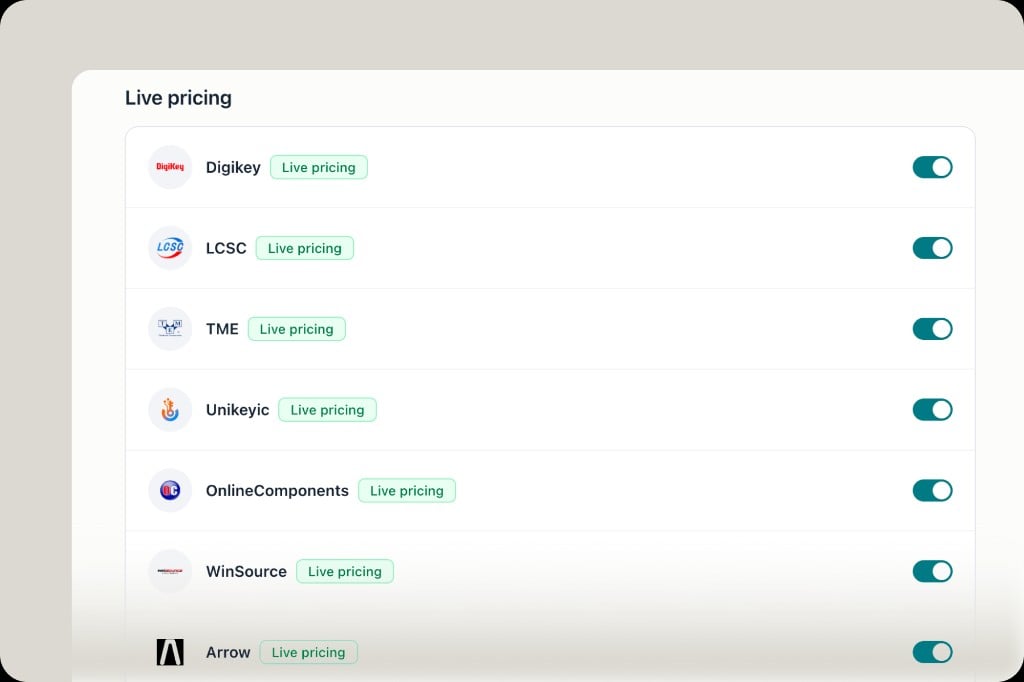
Current live pricing sources include (toggle any under **Settings → Distributors**):
* DigiKey, LCSC, TME, Unikeyic, OnlineComponents, WinSource, Arrow
Catalog snapshots may appear for sources without live feeds yet.
 ## Where you see it
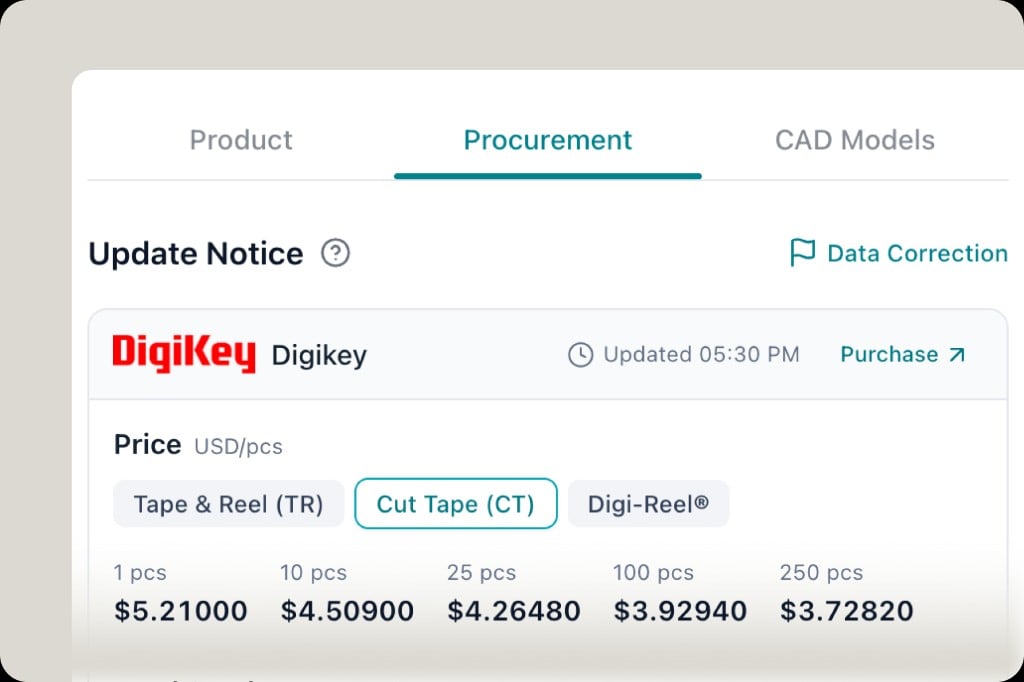
* **Component Procurement tab** — price tiers, packaging, update time
* **BOM / Compare** — stock and price columns
* **Search & alternatives** — live sourcing rows with confidence and source
## One-click purchase
On the Procurement tab, click **Purchase** to jump to that distributor's product page and order.
## Where you see it
* **Component Procurement tab** — price tiers, packaging, update time
* **BOM / Compare** — stock and price columns
* **Search & alternatives** — live sourcing rows with confidence and source
## One-click purchase
On the Procurement tab, click **Purchase** to jump to that distributor's product page and order.
 ## Preferences
Your distributor toggles apply across all views. Want another source? Tell us—we're continuously adding distributors. Manufacturer program partnerships are expanding as well.
## Related
* [OpenELAB modules](/en-US/openelab-modules) — modules and kits purchase via OpenELAB
* [BOM management](/en-US/bom-management) — estimated BOM cost from live data
## Preferences
Your distributor toggles apply across all views. Want another source? Tell us—we're continuously adding distributors. Manufacturer program partnerships are expanding as well.
## Related
* [OpenELAB modules](/en-US/openelab-modules) — modules and kits purchase via OpenELAB
* [BOM management](/en-US/bom-management) — estimated BOM cost from live data