> ## Documentation Index
> Fetch the complete documentation index at: https://help.partgenie.ai/llms.txt
> Use this file to discover all available pages before exploring further.
# Design mode
> Hardware design Beta—concept design, architecture, initial BOM, and design from chat
**Design mode (Beta)** helps you move from idea to structured hardware deliverables inside PartGenie.
## What you can do
* Start a **Design project** from the homepage chip or Projects
* Generate **concept design**, architecture diagrams, initial BOM, and technical proposals
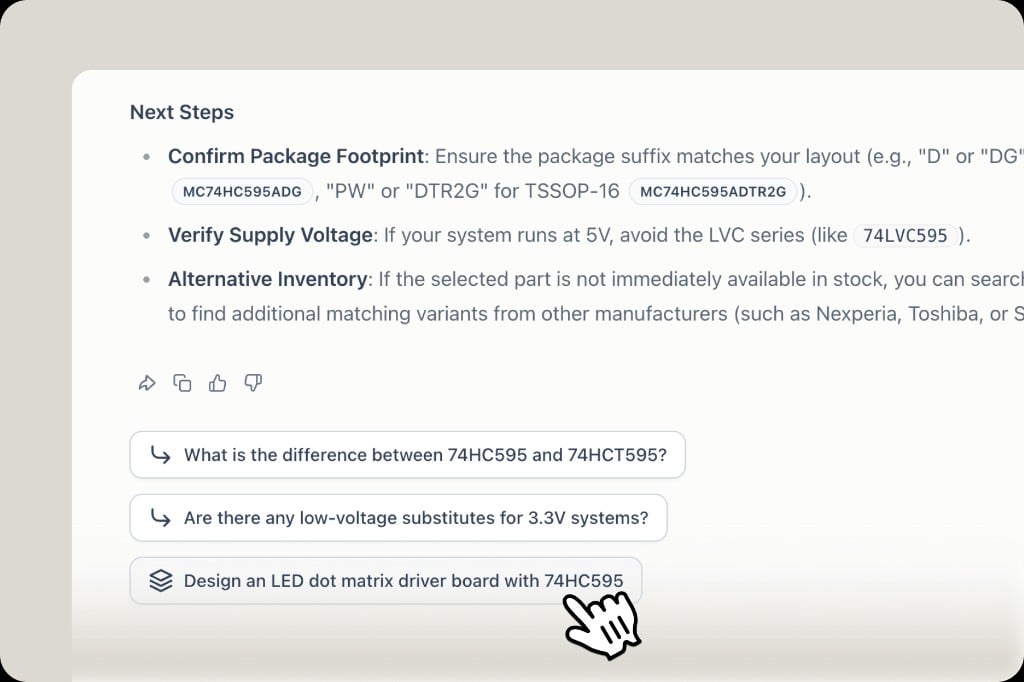
* Trigger design from chat: after an AI answer on a part, use the **Design** follow-up to jump into hardware design with that part as context
 ## Quotas & libraries
Design uses your plan **credits**. Hardware packs, agent-assisted edits, and ECAD library support may vary by plan—check [Membership & pricing](/en-US/membership-pricing).
## Related
* [PartGenie Work](/en-US/partgenie-work) — Design projects in Work mode
* [Knowledge](/en-US/knowledge) — store reference designs and AI-generated artifacts
## Quotas & libraries
Design uses your plan **credits**. Hardware packs, agent-assisted edits, and ECAD library support may vary by plan—check [Membership & pricing](/en-US/membership-pricing).
## Related
* [PartGenie Work](/en-US/partgenie-work) — Design projects in Work mode
* [Knowledge](/en-US/knowledge) — store reference designs and AI-generated artifacts